Mobile
Make smartphone storage last longer
Review the storage breakdown and remove downloaded media you can obtain again.
Clear explanations. Practical next steps. 57 ways to get more from your tech.
Review the storage breakdown and remove downloaded media you can obtain again.
Inspect battery usage by application and reduce background activity for apps you rarely need.
Create a current backup and confirm that your authentication methods will transfer.
Back up your data and remove accounts using the device supported reset process.
Match the cable power rating and connector type to the charger and phone.
Check the charging protocols supported by both the phone and the power adapter.
Use the owner account and review accessibility settings together.
Disable alerts for low priority applications and keep calls from important contacts available.
Enable the operating system device finding feature before you need it.
Check access to camera and contacts and limit permissions to what each application needs.
Increase text size and check contrast and display zoom settings.
Set a strong hotspot password and check the mobile plan tethering allowance.
Check airplane mode and the active SIM before restarting the device.
Compare signal reliability and your data allowance for the task at hand.
Check whether the exact phone model and mobile carrier support the service.
Read the authenticator provider transfer instructions and save recovery codes first.
Create albums for projects and use favorites for images you need frequently.
Choose an original quality transfer method when resolution matters.
Place the document on a flat surface in even light and use a trusted scanning tool.
Use stable lighting and put the phone on a secure support near eye level.
Charge both devices and remove an old pairing only after checking the accessory instructions.
Use the system file manager to locate downloads and sort by size.
Review precise location and background location access separately.
Use the built in medical or emergency information feature if supported.
Match the exact phone model and inspect protection around the screen and camera.
Unplug the device and follow the manufacturer guidance for cleaning materials.
Read the specific model rating and the manufacturer exclusions for liquid damage.
Keep the device out of direct sunlight and reduce unnecessary background activity.
Download the required area over a trusted connection and verify coverage before departure.
Confirm roaming charges and device compatibility with your carrier.
Label the lines and choose defaults for calls and mobile data.
Review subscriptions through the official app store and service account pages.
Enable trusted store updates and leave room for downloaded installation files.
Look up the exact model support policy on the manufacturer website.
Compare screen size and keyboard support with the documents you normally use.
Download essential files and test the keyboard and video call setup before leaving.
Group applications by task and remove shortcuts that you rarely use.
Allow selected contacts and test repeat call behavior if your system supports it.
Inspect recent permission access and compare it with your actual application use.
Use the operating system supported app restriction or guided access feature.
Select the upload quality and connection rules deliberately.
Check whether deleting a file on the phone also removes the cloud copy.
Inspect the cable and charger and try a known working compatible set.
Check device compatibility and remove accessories that prevent proper alignment.
Save important pages as bookmarks before closing large groups of tabs.
Enable supported reachability settings and rearrange frequently used controls.
Check device eligibility and make a backup before a major upgrade.
Start with the official account recovery page on a trusted device.
Decide whether offline access and export matter before selecting an application.
Download files from trusted senders and choose a reader with text search.
Set a lower mobile streaming quality and disable automatic downloads when appropriate.
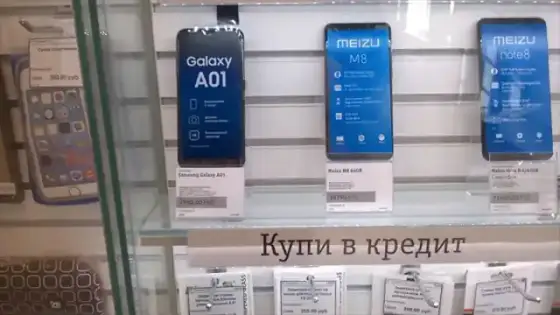
Verify the exact model and test cameras and charging with the seller present.
Review system permissions for the meeting application and select the intended audio accessory before joining a call.
Save essential documents in a supported offline location and verify access before leaving a reliable connection.
Check whether your organization supports a managed work profile and follow its approved enrollment instructions.
Choose a supported accessibility shortcut for a function you regularly need and practice activating it from ordinary use.
Identify whether music and video files are personal originals or replaceable application downloads before removing them.