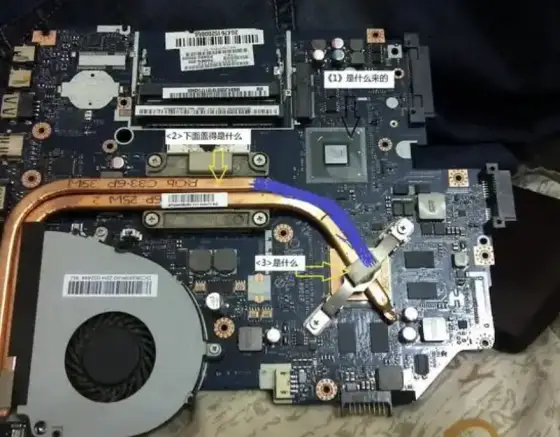
Confirm that the procedure matches the physical device and that you can identify every required recovery and reassembly step.
Start with the right question
Read a laptop service manual before opening the case. The practical starting point is straightforward. Find the official service instructions for the exact model and review required tools, power precautions and component access before removing any screws. This guide explains how to approach the task deliberately, preserve a way back and decide whether the result meets your needs.
A computer works best when its hardware, software and working environment are considered together. A change that helps one workload can make little difference to another. Start with the task you want to complete and the limitation you can actually observe, whether that is a delay, an unreliable connection or a physical setup that is difficult to use.
Before you begin
Identify the exact computer model and the operating system version before following device specific instructions. Machines with similar product names can have different ports, supported components and service procedures. The manufacturer support page for the exact model is the right place to check a compatibility claim. Keep power connected during supported maintenance that requires it.
Choose a quiet moment for the first attempt so you can finish the check without rushing. Keep the relevant settings or source material visible, and note the original state before you change it. A short record makes it easier to reverse a change and explain the situation if you later need help.
Put the approach into practice
Find the official service instructions for the exact model and review required tools, power precautions and component access before removing any screws. Give this step enough time to produce an observable result. The purpose is to read a laptop service manual before opening the case, so keep that specific outcome in view rather than adding unrelated changes. If the option or behavior differs from the description, pause and consult the documentation for your exact configuration.
Similar product names can conceal different internal layouts, screw lengths and connector locations. Read the complete procedure rather than starting after the first illustration. Identify which steps require disconnecting power or an internal battery and follow the manufacturer precautions. Keep removed parts organized by location without forcing clips or cables. Stop when a procedure involves soldered components, a damaged battery or equipment you cannot safely handle. A service manual helps define the job, but it does not replace the training required for electrical repair or specialist work.
Separate the symptom from the explanation. A slow window does not establish that the processor is inadequate, just as a warm case does not establish that cooling has failed. Watch the system during a representative task and note what changes when the symptom appears. Resource monitors can show patterns, but an individual reading needs context from the workload.
Check the result
Confirm that the procedure matches the physical device and that you can identify every required recovery and reassembly step. Use that check as the deciding evidence, rather than assuming that completing a setup screen means the task is finished. Repeat the normal action that originally mattered to you and confirm that no essential function has been lost.
Preserve a usable recovery path before changing important settings or replacing parts. Save current work and make sure the files you would find difficult to replace are backed up. When a procedure involves opening equipment, consult the service manual and stop if the work requires tools or electrical knowledge you do not have. Qualified support is preferable to an uncertain repair.
Keep the improvement useful
Keep a short note of the settings, choices or file locations that made this approach work. When the surrounding system changes, use that record to check whether the same assumptions still apply. If the result remains inconsistent, collect the exact symptom and the steps already attempted before contacting official support. Clear observations make the next decision easier and reduce unnecessary repetition.
Keep exploring with official resources.
These resources provide further context. Check the documentation for your exact model, application and version before making significant changes.
Microsoft Windows support ↗Apple Mac support ↗This guide was created with AI assistance. It provides general guidance and does not claim hands on testing of every device. Read our editorial standards.
Suggest a correction